 WDC Pos
 Sales Hub
 Product Hub
 Inventory Management
 Whatsapp Marketing
 Marketing Automation
 Browser Notification
 Email Marketing
 Fusion Mail
 SMS Marketing
 Fusion SMS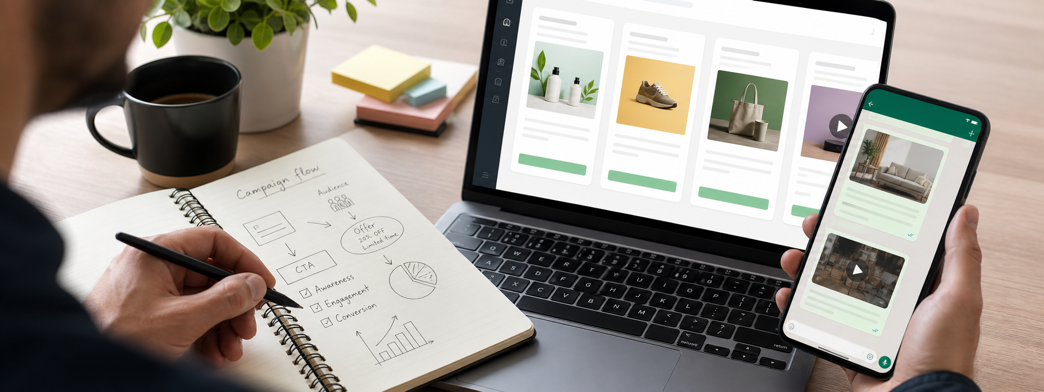
WhatsApp Marketing Message Examples for E-Commerce Campaigns
Plan WhatsApp marketing messages campaigns with clearer audiences, text, image and video messages, paced delivery and practical reporting tips.
WhatsApp marketing messages has become one of the most practical ways for a business to speak to customers in a place they already use every day. The value is not only that the message arrives on WhatsApp. The real value appears when a team can plan the audience, choose the right content format, send at a controlled pace, and review what happened after the campaign. That is where WhatsApp becomes a working marketing channel instead of a one-off broadcast.
For many teams, the question is not whether customers use WhatsApp. The question is how to use the channel without creating noise. A good WhatsApp campaign has a clear reason to exist: a timely offer, a relevant product update, an operational announcement, or a customer communication that is easier to understand with an image or video. When those pieces are planned carefully, WhatsApp can support sales, retention, and service communication at the same time.
WDC WhatsApp Marketing is built around that practical use case. The service lets businesses send bulk WhatsApp campaigns with text, image, and video content, control how many messages go out per minute, and review contact-level reports after sending. Those details matter because scale without control can quickly become messy. Control without reporting makes it hard to learn. Reporting without useful content does not create customer value.
Message examples should start from the customer's reason to care
A good WhatsApp message is short, but it should not be empty. The first line can name the reason: new arrivals, early access, limited stock, order-related information, or a member-only offer. The next line should make the value concrete. The final line should make the next action obvious from a mobile screen.
For an image-led campaign, the text should support the visual instead of repeating it. For a video campaign, the message should tell the customer what they will learn or see. For a simple announcement, clarity is more important than cleverness.
Where WhatsApp marketing messages fits in the customer journey
The best place to use WhatsApp is the moment where direct attention is useful and the customer already has context. A campaign about a new collection works better when sent to people who recently browsed similar products. A delivery or store announcement works better when the audience is connected to that location or order status. A reminder works better when it arrives before the decision window closes, not days after the customer has moved on.
This is why WhatsApp marketing messages should be planned around customer intent. The channel is immediate, so the message has to respect that immediacy. A broad campaign can still work, especially for major announcements, but the strongest results usually come from matching the message to a segment, a timing window, and a clear action.
Useful campaign scenarios
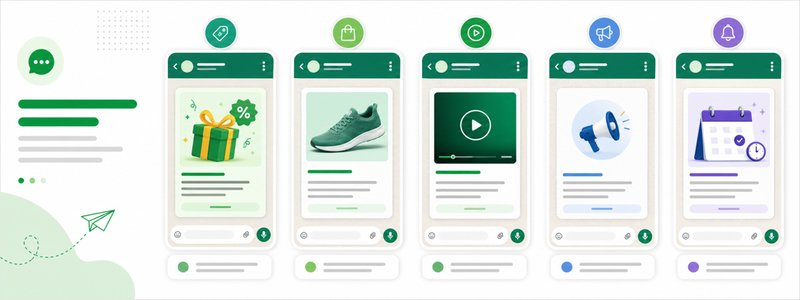
- offer messages: use WhatsApp when the message is timely and easy to act on from a phone.
- image-led product highlights: add image or video content when the visual makes the offer easier to understand.
- video campaign teasers: keep customers informed without forcing them to search for the update themselves.
- customer announcements: use contact-level reporting to see which recipients were included and what happened after the send.
These scenarios are intentionally simple. WhatsApp does not need a complicated concept to work. It needs a message that feels useful when it arrives. If the campaign asks for attention, it should give the customer a reason to care in the first line and a clear next step by the end of the message.
Text, image, and video each play a different role
Text is best for clear information: the offer, the date, the reminder, the short explanation, or the call to action. Image is useful when the product, promotion, or announcement needs visual proof. Video works when movement, demonstration, atmosphere, or a short reveal can make the message feel more persuasive. WDC's support for text, image, and video means a campaign team can choose the format that matches the job instead of forcing every message into the same shape.
A practical way to decide the format is to ask what the customer needs before they click. If they need facts, keep the message mostly text. If they need to see the product, use an image. If they need to understand how something works, consider a short video. This keeps creative decisions tied to customer understanding, not personal preference.

Planning the audience before the send
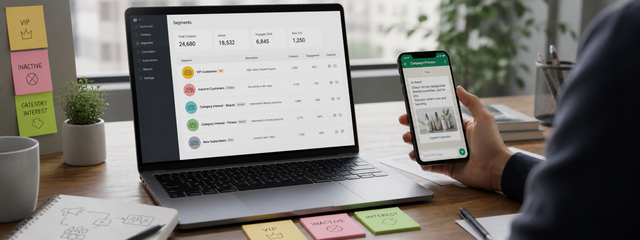
The audience should be selected before the message is written, because the audience changes the promise. A customer who bought recently needs a different reason to engage than someone who has been inactive for months. A VIP customer may respond to early access, while a price-sensitive segment may need a stronger promotion. A city-based segment may care about store availability, while an online-only customer may need a direct product link.
Even when a campaign goes to a full customer list, teams should still document who is included, why they are included, and what the business expects from the send. That habit makes later reporting easier. It also helps marketers avoid sending every campaign to everyone simply because the list is available.
| Campaign decision | Why it matters | Practical example |
|---|---|---|
| Audience | Keeps the message relevant | Send a category offer only to customers interested in that category |
| Format | Matches content to the customer's need | Use video for a product demo and text for a delivery update |
| Sending speed | Keeps delivery pace under control | Limit messages per minute for a large campaign |
| Reporting | Turns the send into learning | Review recipient-level results after the campaign |
Why sending speed control matters
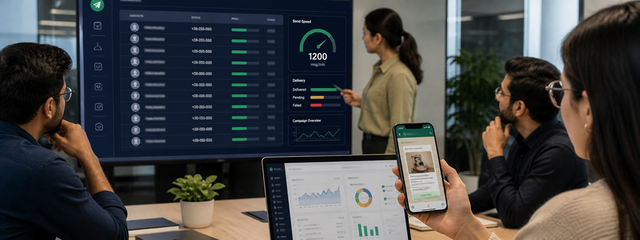
Large WhatsApp campaigns should not be treated like a simple send button. Delivery pace affects operations, customer support, and campaign monitoring. If a campaign creates replies, clicks, or store visits, the business needs to be ready for that response. Sending speed control gives the team a way to manage the rhythm of the campaign instead of releasing every message at once.
With WDC WhatsApp Marketing, teams can configure how many messages go out per minute. That is useful for high-volume sends, but it is also useful for smaller campaigns where timing and operational readiness matter. A team can pace delivery, watch early signals, and keep the campaign aligned with the business's capacity to respond.
How to write messages that feel clear
A strong WhatsApp message usually has four parts: a reason for the message, the value to the customer, the action to take, and the trust detail that makes the message feel official. The reason can be a campaign, a product update, a limited-time announcement, or a service notice. The value should be specific enough to understand without opening another page. The action should be short. The trust detail can be the brand name, order context, campaign name, or a recognizable link.
For example, a product campaign can start with the category or benefit rather than a vague greeting. A store announcement can name the location. A video message can explain what the customer will see before asking for attention. The goal is not to sound louder. The goal is to remove hesitation so the customer understands why the message arrived.
Reporting turns campaigns into a repeatable system
After the send, the most useful question is not only how many messages went out. Teams need to know which contacts were included, what the delivery result looked like, and what the campaign suggests for the next send. Contact-level reporting helps a team move from assumptions to evidence. It also supports cleaner follow-up because marketers can separate delivered, failed, engaged, and unresponsive audiences in their own analysis process.
Reporting is especially important when WhatsApp is used with email, SMS, browser notifications, and on-site campaigns. Each channel plays a different role. WhatsApp can carry direct and visual messages, but the team still needs to compare campaign outcomes with the rest of the journey. A result that looks average in isolation may be strong for a specific segment or timing window.
A simple first 30-day plan
The first month should be used to create a baseline, not to send every possible campaign. Start with one high-confidence audience, one simple message, and one clear business goal. For example, a retail team can choose a seasonal offer for customers who bought from the same category before. An e-commerce team can send a product update to customers who recently showed interest in similar items. A service business can send an announcement to customers who need timely information.
In the second week, compare the campaign with another audience or content format. Keep the change small enough to understand. If the first send used text only, the next send can test an image-led version. If the first audience was broad, the next send can use a narrower segment. In the third and fourth weeks, review contact-level reports, note the segments that responded best, and decide which campaign types deserve a repeat. This turns WhatsApp planning into a calm learning cycle instead of a rush to send more messages.
A practical checklist before sending
- Confirm that the audience has a clear reason to receive this message.
- Choose text, image, or video based on what the customer needs to understand.
- Keep the first line specific and the call to action easy to follow.
- Set the sending speed to match operational needs and account limits.
- Review contact-level reports and record what should change next time.
How WDC helps teams execute the channel
The main advantage of WDC WhatsApp Marketing is that it brings the send workflow into a manageable structure. Teams can prepare campaigns, use rich content, control delivery speed, and check individual recipient results from one service. That combination is helpful for teams that want WhatsApp to support serious customer communication, not only quick announcements.
Used well, WhatsApp marketing messages gives a business a direct line to customers while still leaving room for planning, pacing, and learning. The channel works best when it is treated with the same care as any other growth channel: clear audience, useful message, controlled delivery, and honest reporting after the campaign.
FAQ
Can WhatsApp Marketing be used for bulk campaigns?
Yes. WDC WhatsApp Marketing is designed for bulk WhatsApp messaging and can be used to reach multiple customers in one campaign.
Can campaigns include images and videos?
Yes. The service supports text, image, and video messages, so teams can choose the format that fits the campaign.
Can teams control how fast messages are sent?
Yes. Teams can configure how many messages go out per minute and manage the pace of larger sends.
Can campaign results be reviewed after sending?
Yes. Contact-level reports help teams see results by individual recipient after the campaign is sent.